

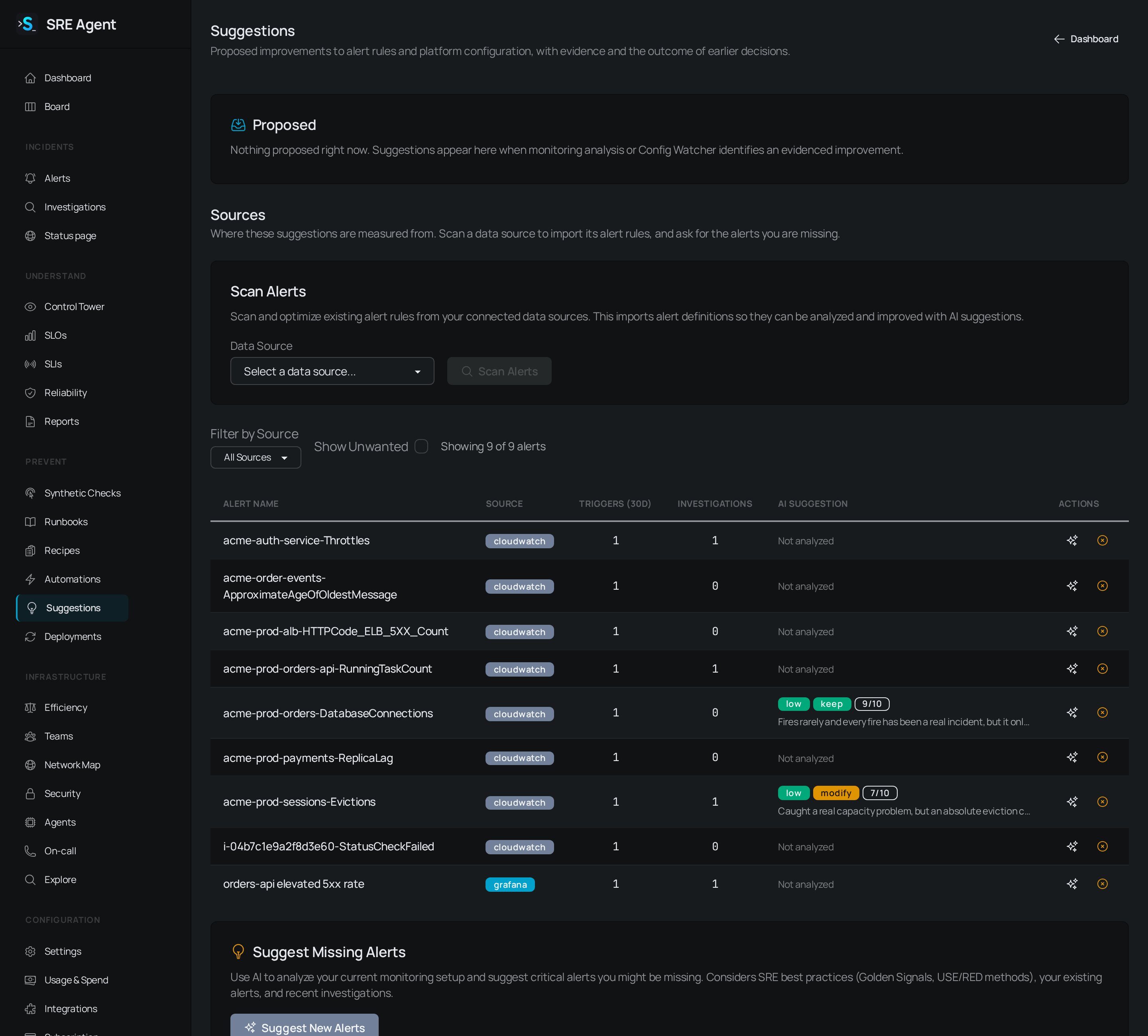
The Suggestions page with nothing proposed yet, the Scan Alerts form, and the alert rules listed with their AI suggestions.
Ask for an improvement
1
Find the alert in Slack
Open the alert message SRE Agent posted in your channel.
2
Click Improve this alert
SRE Agent replies in the thread with a proposal for that rule, or tells you why it cannot make
one, for example when the alert has no rule behind it or the source keeps no rule list.
3
Open Suggestions
The proposal also appears on the Suggestions page in the app, under Proposed.
Read the lists
Proposed holds every open suggestion. Each card shows its title, the evidence, and the exact change it would make. A card that was applied before and came back says so, with the path taken, who took it and when. History holds everything applied, dismissed or failed, plus applies still in flight. Each row shows how it was applied (written directly, as a pull request, or in local configuration), who applied it and when. A pull request apply links to the pull request. Each list shows 50 rows. Click Load 50 more to widen it. A count with a+ means more rows are waiting.
Apply or dismiss
Each action asks you to confirm first. The confirmation names the change and where it goes.
Accept and apply shows only while the write would land the change the proposal was measured from. If someone edited the rule since, use Open a PR so the edit is not reverted. A rule managed by Grafana’s file-based provisioning is refused by name, because a write from here could not change it.
If an apply fails, the card stays in History with the reason printed on the row. Fix the cause, then use the buttons there to try again. When no button is available, the card says why, such as the GitHub App not being installed.
The same buttons exist on the Slack reply, with the same role requirements.
Suggestions about your setup
The page also lists configuration proposals from Config Watcher, an optional agent that reviews your data sources, alert routing and other settings. An org admin turns it on under Settings, Config Watcher, where you also pick a policy. It is off by default. Most proposals link to the setting to review; the one change you can apply from the page is filling a missing region on a telemetry binding, with Apply locally.Related
- Triage alerts: the alerts these suggestions come from.
- Work incidents from Slack: the Improve this alert button.
- Connect your data: connect Grafana or CloudWatch so rules can be scanned.
- Plan matrix: which plans include pull requests.